

01
Lead capture and routing
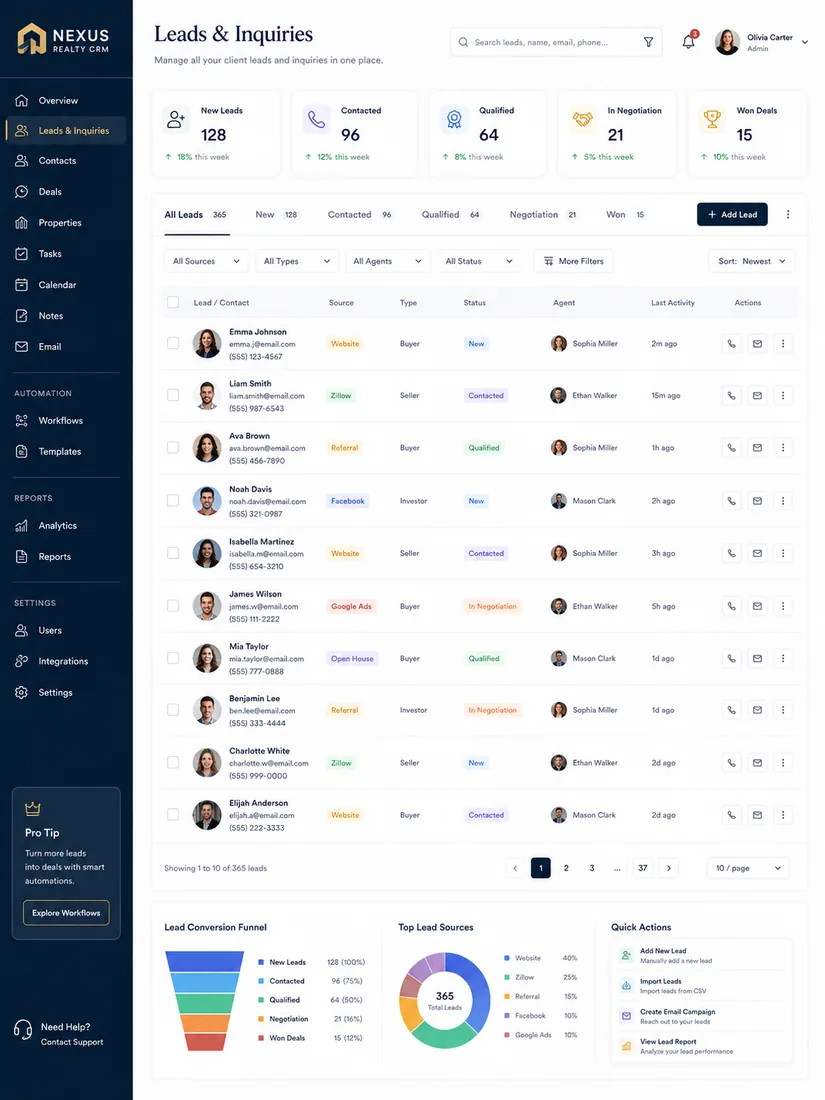
Real estate lead management software that captures every source, removes duplicates, and assigns leads automatically.
Real Estate CRM
Most real estate CRMs fail on adoption. We build custom real estate CRMs and integrate the one you already use, with fast mobile logging, automatic lead routing, and reporting you can read at a glance.

Overview
A CRM only helps if your team opens it, even at 7pm in the car. Off-the-shelf tools often force real estate businesses into workflows that don’t match how they sell or lease.
Our real estate CRM development starts with your real pipeline: how leads arrive, who gets them, and what happens next. We then build a custom real estate CRM, or configure and connect your existing one, so every contact is organized and followed up. As a real estate software development company, we connect your CRM to your website, listings, and automation from day one.
Who It’s For
What’s Included
Real estate lead management software that captures every source, removes duplicates, and assigns leads automatically.

Buyer, seller, and leasing pipelines with the stages your team really uses.

Contact records linked to saved searches and listing data, so property interest lives with the contact.
Clear views of pipeline, lead sources, and agent activity, without spreadsheet exports.

Contacts and history moved from your current system, and your team trained at launch.
Custom or Integrated
Some businesses need a custom real estate CRM. Others just need their current CRM connected and configured properly.
If you’re on Follow Up Boss, kvCORE, Lofty, or HubSpot, we can often build routing, automation, and reporting around it. We only recommend a switch when the platform is genuinely holding the team back.
What your team gets
Choosing a CRM
The best CRM for real estate is the one your team uses every day, not the one with the longest feature list.
Before comparing tools, map how leads arrive, who follows up, and what you need to report. If an off-the-shelf CRM fits, we integrate it. If your workflow is unique, a custom real estate CRM usually costs less than forcing the wrong tool to fit.
What to look for
How We Work
We review your lead sources, pipeline, current CRM, and team structure.
Stages, fields, views, and routing rules set up in your CRM, or built as a custom CRM.
Contacts, notes, and history imported and checked before launch.
Your team onboarded with a structured 60-day training and check-in push after launch.
Pricing Factors
The cost depends mainly on whether you need a custom CRM or an integration of the one you have. These factors matter most:
Planning a budget? Read our real estate software development cost guide, or ask for an estimate. Still deciding? Compare custom vs. off-the-shelf real estate software.
FAQ
Not necessarily. If you’re on Follow Up Boss, kvCORE, Lofty, or HubSpot we can often build routing, automation, and reporting around it. We only recommend a switch when the platform is genuinely holding the team back.
We connect your website forms, listing platforms, lead sources, phone system, and marketing tools to your CRM, so every lead arrives complete and routed to the right person.
Yes, when your workflow doesn’t fit existing tools. We design the pipelines, data, and permissions around your business, and you own the result.
There’s no single best real estate CRM software for everyone. The right choice depends on your team size, lead sources, and workflow, which is why we start with an audit before recommending a tool or a custom build.
Yes. We link contact records to saved searches and listing data through the RESO Web API or your listing platform, so behavior and property data live with the contact.
We design around how agents already work, keep mobile logging to a couple of taps, and run a structured 60-day training and check-in push after launch.
A configuration and migration on an existing platform is typically a few weeks. A custom CRM is scoped in phases with clear milestones.
Always. Clean exports, a documented schema, and no lock-in: it’s your pipeline.
Get Started
Book a demo and we’ll review your current CRM, your lead sources, and where follow-up is slipping.